
How to Set Up Payment Processing for Your Nail Salon: POS Systems, Online Payments, and Booking Integration
Everything nail salon owners need to know about choosing a POS system, enabling online payments at booking, and connecting it all together — so clients pay effortlessly and your money lands on time.
A client comes in, gets a flawless set, leaves thrilled — and then you find out her card "isn't working" and she didn't bring cash. She walks out embarrassed, you're left short in the till, and a genuinely great appointment ends on a sour note. Sound familiar? In 2025, there's no excuse for that to happen. The technology is affordable, the setup is straightforward, and the cost of not doing it is quietly bleeding your business every single week.
This guide covers everything you need to know about nail salon payment processing: which POS system to choose, how to enable online payments at booking, what it all costs, and how to connect your payment setup to your scheduling software so the whole thing runs without manual reconciliation at the end of every shift.
Why Accepting Cards Is a Basic Expectation, Not a Nice-to-Have
Cashless payments have become the default for everyday purchases across English-speaking markets. In the UK, the British Retail Consortium reported that cash accounted for fewer than 20% of transactions by 2024. In the US and Australia the trend is similar — and the demographic driving it is exactly the 25–45-year-old urban woman who books nail appointments regularly.
A client who can't pay by card probably won't come back. Not out of spite — she'll simply find a salon that makes it easier. Card payment for a beauty salon is now table stakes, in the same category as having decent lighting or reliable Wi-Fi.
Beyond client convenience, going cashless solves several practical problems at once:
- No need to keep a float of small bills in the till
- Fewer errors and less exposure to internal theft
- Every transaction is automatically recorded
- Daily, weekly, and monthly revenue figures are always accurate
Types of POS Systems: What Works for a Small Nail Salon
When choosing a nail salon POS system, most owners end up looking at three main formats.
Countertop Terminal
A traditional device connected via ethernet or Wi-Fi, sitting on the front desk. Best suited to salons with a dedicated reception area. Most banks and merchant services providers rent these for $20–60/month, and some waive the rental fee if you hit a minimum monthly transaction volume.
Mobile Card Reader (mPOS)
A compact reader that pairs with your smartphone or tablet via Bluetooth. Ideal for a nail tech who rents a chair, does home visits, or needs flexibility. Popular options include Square, SumUp, and Zettle by PayPal. These typically charge 1.5–2.75% per transaction with no monthly fee — which makes them cost-effective at lower volumes.
Smart Terminal (All-in-One POS)
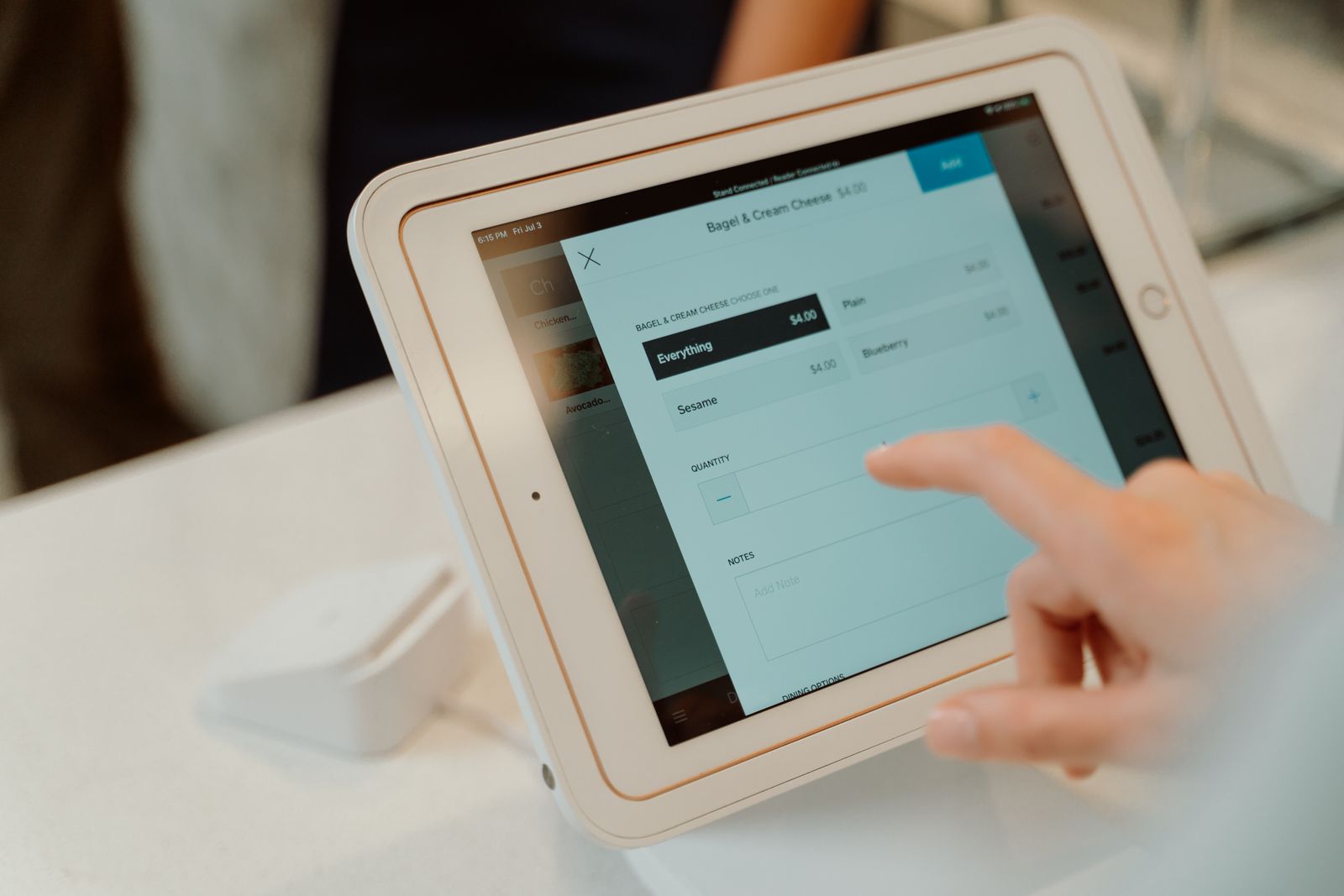
Devices like the Square Terminal, SumUp Solo, or Zettle Terminal are essentially a tablet, card reader, and receipt printer in a single unit. For a salon with two to four nail techs, this is usually the sweet spot: everything in one place, an intuitive interface, and quick setup.
When comparing options, focus on three things: processing fee percentage, how quickly funds are deposited (next business day is the standard; anything longer than two business days is a red flag), and the quality of customer support. That last point matters more than shaving 0.3% off your rate — a terminal that goes down on a busy Friday evening costs far more than the monthly savings from a slightly cheaper plan.
Merchant Accounts and Payment Processors: How to Avoid Overpaying
For nail salon payment processing, you'll choose between a traditional merchant account through a bank or an all-in-one payment aggregator.
A bank merchant account is the classic route. You open a business checking account, sign a merchant services agreement, and receive a terminal. Rates for card-present transactions in the US typically run 1.5–2.5% depending on card type and volume; UK rates are generally lower for debit cards. The more volume you do, the more negotiating power you have on the rate.
Payment aggregators — Square, Zettle, SumUp, Stripe — work differently. You sign up online in minutes, buy or rent a reader, and pay a flat percentage per transaction. No negotiating, no contracts, fully transparent pricing. The trade-off: the flat rate is almost always higher than what a bank will offer at significant volume.
A practical rule of thumb: if your monthly card volume is under $5,000, an aggregator is likely cheaper and simpler once you factor in monthly fees and minimums. Above that, it's worth getting quotes from two or three banks.
Key things to check in any merchant agreement:
- Settlement timing (T+1 is standard; T+3 should prompt you to keep looking)
- Early termination fees
- How minimum monthly fees are calculated if your volume is low
- Who covers terminal replacement costs if the hardware fails
Online Payments at Booking: How It Works and Why You Need It
Online payment for nail salon booking means giving clients the ability to pay — or put down a deposit — the moment they book, whether that's through your website, a booking widget, or a link in your Instagram bio.
The main reason to set this up is reducing no-shows and last-minute cancellations. A client who has already paid even 30–50% of the appointment cost is dramatically less likely to ghost you. Industry research across beauty salons consistently shows that requiring a deposit at booking cuts no-shows by 40–60%.
It's also just a smoother experience for everyone. The client doesn't have to think about getting cash out. You see a confirmed appointment with confirmed payment, all in one view.
Here's how the flow works in practice:
- Client selects a service and time through your booking form
- The system prompts her to pay a deposit or the full amount by card
- The payment is processed through a gateway (Stripe, Square, PayPal — depending on your setup)
- Funds are either held or deposited directly to your account
- If she cancels within your policy window, the deposit is non-refundable — per the terms she agreed to at booking
One important detail: your cancellation and deposit policy needs to be clearly displayed during the booking flow. When it's spelled out upfront, clients can't claim they weren't informed — and disputes become rare.
Integrating Your POS with Booking Software: Why It Matters
The most common mistake small salons make is running their booking software and their payment system as two completely separate things, then manually reconciling them at the end of each day. That's double the work and a reliable source of errors.
Modern salon management platforms let you connect scheduling and payments in a single workflow:
- A nail tech closes out an appointment — the system automatically generates the correct invoice
- The client pays by card or cash — the appointment status updates to "paid" automatically
- At the end of the day, your revenue report is already complete, with no manual tallying
This typically saves a front desk admin 30–60 minutes per day and eliminates the discrepancies that turn up between your appointment log and your actual takings.
When evaluating booking software, check whether it has a built-in payment module or native integration with the payment providers popular in your market — Stripe and Square cover most English-speaking markets well, and PayPal is widely recognised by clients. Card payment beauty salon setup works best when booking and billing are handled inside the same platform.
Receipts, Taxes, and Legal Compliance
Requirements vary by country, state, and province, but a few principles apply broadly.
In most jurisdictions, clients are entitled to a receipt for any transaction. If you're using a payment aggregator like Square or Zettle, digital receipts are sent automatically. If you're running a traditional POS setup, verify that your system can issue receipts for both card and cash payments.
Sales tax (or VAT, GST, depending on your market) needs to be calculated and collected correctly on each service. Most modern POS systems handle this automatically once you configure your tax rates — but it's worth a conversation with your accountant before you go live, particularly if you sell retail products alongside services, since the tax treatment can differ.
If you're in the UK, the US, Canada, or Australia, check with a local accountant or bookkeeper on:
- Whether your business structure requires specific POS receipt formats
- How card processing fees interact with your taxable income
- Whether your booking and payment software exports reports in a format your accountant can use
Getting this right from the start costs far less than untangling compliance issues later.
Common Mistakes When Setting Up Payments in a Nail Salon
Salons going through this process for the first time tend to run into the same handful of problems.
Mistake 1: Choosing a terminal based on upfront price alone. A cheap reader with a flaky connection will freeze during a busy Saturday. Stick with hardware from established providers that have real customer support, not just a help email.
Mistake 2: Not sending deposit reminders. If you've introduced prepayment but you're not reminding clients about it the day before their appointment, a portion of them will simply forget they paid and still not show up. Automated reminders are non-negotiable.
Mistake 3: Passing the card fee on to the client. In many jurisdictions this is restricted or prohibited outright. Even where it's technically legal, it irritates clients and makes your salon look outdated. Build the processing cost into your pricing instead.
Mistake 4: Doing manual reconciliation when you have automation available. If your booking platform can generate financial reports, use them. Manual end-of-month reconciliation takes hours and introduces errors that compound over time.
Mistake 5: Having no backup payment method. Terminals lose connectivity. Batteries die. Keep a mobile reader as a backup, or at minimum have a QR code clients can scan to pay through their bank app. Never be completely stuck.
How to Build Your Payment System Step by Step
Here's a practical sequence for a nail salon owner who wants to get this properly sorted.
Step 1. Decide which payment methods you actually need. In-person card payments — definitely. Online payment at booking — yes, if you have three or more nail techs or a high cancellation rate. Buy-now-pay-later (Klarna, Afterpay, Affirm) — worth considering for higher-ticket services like full sets with nail art or gel extensions.
Step 2. Choose your processor or aggregator. Get quotes from two or three providers. Compare the rate, settlement speed, and support — in that order of priority.
Step 3. Configure your booking software with online payment enabled. Make sure the service price is visible before the client confirms, and that your deposit and cancellation policy is displayed clearly during the booking flow.
Step 4. Sort your receipt and tax setup. Confirm with your accountant that your POS can produce compliant receipts and that your tax rates are correctly configured.
Step 5. Train your staff. Walk through how refunds work for cancellations, how to close out a shift, and what to do if the terminal goes down mid-appointment.
Step 6. Review the numbers one month in. Has your no-show rate dropped? How long does end-of-day close-out take now? Are there any discrepancies between your bookings and your actual revenue? Let the data tell you what to adjust.
The Bottom Line
Setting up payments properly isn't a one-time task — it's a system. A nail salon POS system is a one-time purchase, but the infrastructure you build around it runs for years: online booking with deposits reduces cancellations, integration with your scheduling software eliminates manual work, and the right processing setup keeps your fees manageable.
Start wherever you are. No terminal yet? Get one this week. Already have a terminal but your bookings and payments live in separate places? Find a platform that connects them.
ManicBot is one option worth looking at — it's built specifically for nail salons and brings online booking, automated client reminders, and payment management into one place. But whatever tool you choose, the key is not to delay: every month without a proper nail salon payment processing setup is costing you time, money, and clients who quietly decided not to come back.
Related articles

Nail salon pricing & menu engineering: charge more, keep clients
Tiered service menu, 90–100% markup on complex work, 3–5% annual price raises and a premium anchor. How to lift your nail salon's ticket and keep clients.

Nail Salon Pricing Strategies for Summer 2026: How to Stay Competitive and Raise Your Average Ticket
Summer is peak season for nail salons, but it also brings fierce competition — clients shop with their eyes and their wallets. Here are practical pricing strategies that will help your nail salon earn more without losing the clients you've worked hard to build.

Nail Salon Rules and Regulations in 2026: Health Codes, Licensing Requirements, and What Inspectors Actually Check
Running a nail salon means meeting specific nail salon licensing requirements and sanitation standards — from securing the right permits to maintaining daily disinfection logs. This guide walks you through everything you need to know before an inspector walks through your door.