
Best Payment Processor for Nail Salons in 2026: Comparing Fees, Terminals, and Booking Software Integrations
Choosing the right payment processor for your nail salon can save you thousands a year — we compare fees from leading providers, terminal types, and integrations with online booking software so you stop overpaying and start keeping more of your revenue.
When you open a nail salon, payment processing feels like the easy part. Slap a terminal on the counter, client taps their card, money hits your account. In reality it's messier: fees quietly consume 2–3% of your revenue, your terminal doesn't talk to your booking software, and at the end of the month your reports can't tell you which services actually made money. For a small nail salon doing $50,000 a month, the gap between a smart processor choice and a lazy one is $800–$1,200 a year — money that should be in your pocket, not your bank's.
The nail salon payment processing landscape in 2026 looks different than it did even two years ago. New players have entered the market, established ones have cut rates, and booking software integrations have gone from premium add-on to table stakes. This guide breaks down your real options, puts actual numbers on the comparison, and helps you choose the setup that fits a nail business specifically — whether you're running a solo suite, a multi-chair salon, or a franchise location.
Why Your Choice of Processor Actually Matters for a Nail Business
A nail salon isn't a retail store. Your average ticket runs $60–$200 per service, transaction volume is high relative to your footprint, and you deal with seasonal spikes around prom, wedding season, and the holidays. Cash is fading fast too — in most US urban markets, card and digital wallet payments now account for over 85% of nail salon transactions.
That business profile shapes what matters in a processor:
- With a modest average ticket, even a 0.5% difference in fees compounds to real money over 12 months.
- Your terminal needs to be fast — a master nail technician can't wait 30 seconds for an authorization while the next client is already in the chair.
- Integration with your booking software saves time closing out each day and eliminates cash-drawer discrepancies.
- Accepting deposits online reduces no-shows — one of the biggest sources of lost revenue in any appointment-based business.
That's why any serious nail salon POS comparison in 2026 has to go beyond the headline rate. You need to evaluate the full stack: hardware, integrations, support quality, and how quickly your money actually settles.
Pricing Models: What's Really Hidden Behind the Advertised Rate
Payment processors use several pricing structures, and each one has a different catch.
Interchange-plus is the most transparent model. You pay the actual interchange rate set by Visa/Mastercard, plus a fixed markup from the processor (typically 0.15–0.35%). At higher volumes this is almost always the cheapest option. The downside: your effective rate fluctuates depending on what cards your clients use — corporate cards and premium rewards cards cost more to process.
Flat rate charges one fixed percentage on every transaction regardless of card type. Square's 2.6% + $0.10 per swipe is the most familiar example. Easy to budget, especially when you're starting out and can't predict your payment mix. The trade-off is that you're subsidizing the low-cost debit transactions to cover the high-cost premium card transactions.
Freemium with a monthly fee pairs a lower per-transaction rate with a fixed monthly cost of $20–$75. It only makes sense above a certain volume. Quick math: if the monthly fee is $50 and the rate savings versus flat-rate is 0.4%, your break-even is around $12,500/month in card volume. Below that, flat-rate wins.
Hidden fees that catch salon owners off guard:
- Chargeback fees: typically $15–$25 per disputed transaction, win or lose.
- Terminal rental: $15–$40/month if you don't own your hardware.
- Early payout fees: some processors charge 0.5–1% extra to settle same-day instead of next business day.
- PCI compliance fees: $75–$120/year at some providers for what should be a standard security baseline.
Always ask for a full fee schedule before signing — not the rate on the landing page, the complete merchant agreement.
Key Players: Square vs. Stripe for Nail Salons, and the Rest of the Field
Flat-Rate / All-in-One Processors
Square remains the dominant choice for small and mid-size nail salons in the US. The free card reader gets you started with zero upfront cost, the flat 2.6% + $0.10 covers in-person transactions, and the Square Appointments integration is genuinely solid. The built-in booking, payments, and client management in one dashboard is hard to argue with at low volume. The ceiling: as you scale, that flat rate hurts, and heavy customization of the payments flow requires their Premium plan.
Stripe is primarily a developer-first platform, but Stripe Terminal has matured enough that tech-forward salon owners use it. In-person rate is 2.7% + $0.05. The real advantage is API flexibility — if you're building custom booking flows or want deep integration with a bespoke POS, Stripe gives you more control than any competitor. For most independent nail salons, though, it's more infrastructure than you need.
Zettle by PayPal offers a clean flat rate (2.29% + $0.09 in the US) and solid Bluetooth card readers starting around $29. PayPal's brand recognition helps with client trust. Integration with booking platforms is improving but still lags Square.
SumUp is worth considering for mobile nail technicians or booth renters who need minimal hardware. The reader runs about $35, the rate is 2.75% per dip/swipe/tap. No monthly fees, no contracts. Limited reporting.
Interchange-Plus / Merchant Account Providers
Helcim is the standout interchange-plus option for growing salons. No monthly fee, transparent interchange-plus pricing, and a well-designed virtual terminal and invoicing suite. Once your volume exceeds $25,000–$30,000/month, the savings over Square's flat rate are significant.
Payment Depot / Stax uses a membership model — flat monthly fee ($99–$199) plus interchange at cost. At $40,000+/month in volume this is hard to beat. Requires more setup time than plug-and-play options.
Clover offers robust hardware (including countertop terminals with built-in receipt printers) and an app marketplace. Popular with multi-location salons. Watch the leasing contracts — Clover hardware is often sold through resellers with unfavorable terms.
Payment Terminals: Which Setup Fits a Nail Salon
Your terminal choice depends on how your salon handles checkout. Three main options:
Countertop POS terminal — the classic setup. Right for salons with a front desk where clients always check out in one spot. Hardware purchase runs $200–$600; some processors rent for $20–$40/month. Downside: cables, charging, fixed location.
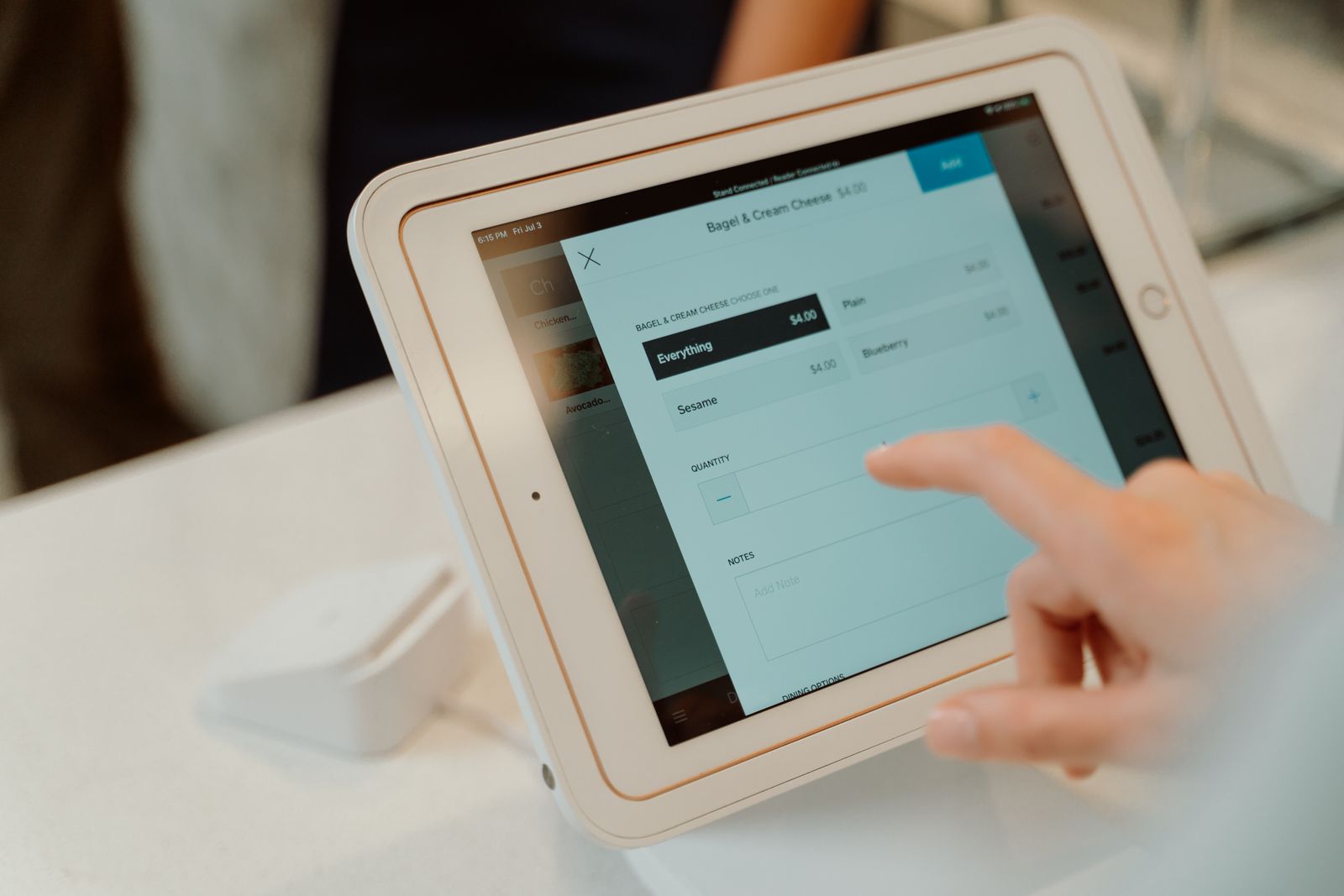
Mobile card reader (mPOS) — a compact device that pairs to a tablet or smartphone via Bluetooth. The technician can bring it to the work station and close out the client without them walking to the front. Square Reader, Zettle Reader, SumUp Air are the go-to models. Cost $29–$80 with no rental. Ideal for multi-tech salons where each station operates semi-independently.
Smart terminal with built-in Android screen — PAX A920, Clover Flex, SumUp Solo. Works as a standalone device running apps. You can pull up the schedule, take payment, and print a receipt all on one device. Runs $400–$900. Best for high-traffic salons or anyone who wants everything in one unit.
Terminal checklist before you commit:
- Does it support contactless NFC and Google Pay / Apple Pay? In 2026 this is non-negotiable.
- How fast is the authorization? Under 5 seconds is the standard.
- Does it have 4G/LTE fallback if your salon WiFi goes down?
- How easy is it to get a replacement if the hardware fails on a busy Saturday?
- Does it print receipts on-device, or do you need a separate printer?
Booking Software Integration: Where Most Salons Leak Money
The most underrated dimension of any nail salon POS comparison is how well the payment system connects to your booking platform. Without that integration, you're manually reconciling two systems at close of business, deposits don't automatically apply to the final invoice, and your daily reports are always off.
What a proper integration actually gives you:
- Client pays a deposit when booking online — funds are automatically attached to that appointment record.
- After the service, the technician closes out the visit in the scheduling app — remaining balance is charged in one tap.
- End-of-day report generates automatically without manually cross-referencing the terminal and the appointment book.
- Cancellations and refunds are handled inside one interface.
How to vet an integration before you commit:
- Ask your booking software provider which payment processors are natively supported — not "compatible with via Zapier," but truly native.
- Confirm whether online prepayment through the booking form is a separate feature that needs to be enabled.
- Test how deposit refunds work when a client cancels — this is where clunky integrations break down.
- Request a demo or trial and run a few transactions manually before going live.
Platforms like Booksy, Fresha, and Vagaro have built-in payment processing — convenient, but the rates (often 2.5–2.9%) tend to run above what you'd pay with an external processor. As your revenue grows, connecting a competitive external processor via API is usually worth the setup effort.
Deposits and Prepayment: Cutting No-Shows and Protecting Your Revenue
According to industry data from US beauty industry associations, the average no-show rate without deposits runs 12–18%. For a salon with 80 technician-hours booked per month, that's 10–14 wasted hours. At an average ticket of $120, that's $1,200–$1,680 in lost revenue every single month — gone before the client even walks in the door.
Prepayment solves this, but it requires three things working together: an online booking form, a payment gateway, and automatic deposit application at checkout.
Practical deposit guidelines:
- Target 30–50% of the service price. Too small and it doesn't change behavior; too large and you'll spook new clients who haven't built trust yet.
- Set clear cancellation terms: full refund with 24+ hours notice, 50% refund with 12–24 hours notice, no refund under 12 hours.
- Consider waiving the deposit requirement for loyal, long-standing clients — it's a low-cost gesture that earns real goodwill.
- Your processor must support partial charges so the deposit automatically deducts from the final total at checkout without manual math.
The best payment processor for nail salons is one that handles deposits cleanly — without creating extra work for whoever's at the front desk.
Taxes, Reporting, and Compliance
Sales tax in the US varies by state and, in some states, by service type. Nail services are taxable in most states; the rate and rules differ. Your POS should calculate and collect the correct rate automatically based on your location — this is standard in Square, Clover, and most established platforms. Confirm it's configured correctly when you set up, because misapplied sales tax creates headaches at year-end.
1099-K reporting: Payment processors are required to issue 1099-K forms for business accounts above IRS reporting thresholds. Make sure the legal name and EIN on your processor account match your tax filing exactly — discrepancies trigger notices.
Tipping: In a nail salon, tips on card are the norm. Confirm your terminal allows clients to add a tip on-screen before the final charge, and check how your processor handles tip reporting — it affects both your payroll records and your technicians' tax obligations.
Chargebacks: Beauty services see a higher-than-average chargeback rate because dissatisfied clients sometimes dispute rather than complain. Good processors offer chargeback alerts and dispute management tools. Having a clear written cancellation and refund policy — and a signed client intake form — is your best defense.
Calculating What Processing Actually Costs Your Salon
Before you sign anything, run this simple calculation using your last three months of data:
- Total card revenue per month (e.g., $48,000)
- Total transactions per month (e.g., 380)
- Average ticket ($48,000 ÷ 380 = $126)
Now compare:
Option A — Square flat rate (2.6% + $0.10): $48,000 × 2.6% + (380 × $0.10) = $1,248 + $38 = $1,286/month
Option B — Helcim interchange-plus (~1.7% effective rate, no monthly fee): $48,000 × 1.7% = $816/month — saving $470/month vs. Square
Option C — Stax membership ($139/month + interchange at cost, ~0.3% + $0.08): $48,000 × 0.3% + (380 × $0.08) + $139 = $144 + $30 + $139 = $313/month — dramatically cheaper at this volume
Option D — Fresha built-in processing (2.75%): $48,000 × 2.75% = $1,320/month
The gap between the smartest and laziest choice in this example is over $12,000 a year. That's a new pedicure chair, a serious marketing budget, or several months of a part-time receptionist.
Other Factors That Affect Your Final Decision
Beyond rates and integrations, a few practical details matter:
Settlement speed. Standard is T+1 (next business day). Some processors offer same-day funding for an extra 0.5–1%. For salons managing tight cash flow — especially when paying technicians weekly — faster settlement has real value.
Support quality. When your terminal freezes on a packed Saturday afternoon, you cannot afford 45 minutes on hold with an offshore support line. Test support response before you commit: call or chat before you're a customer and see how long it takes to reach a real person.
Contract terms. Some processors — particularly those bundled with Clover hardware through resellers — lock you into 3-year contracts with early termination fees of $300–$500. Month-to-month is almost always available with the major platforms; insist on it if you can.
Multi-currency. If your salon serves international clients or you're in a border market, check the processor's foreign card and currency conversion terms.
Reporting and analytics. A good dashboard shows revenue by technician, by service, and over time. This isn't just a nice-to-have — it's how you figure out which services are actually profitable and which ones are busywork.
The Bottom Line: How to Make the Right Call
Nail salon payment processing is not a one-time decision you make at launch and forget. It's infrastructure that either works for you quietly every day or creates friction you'll feel in your numbers and your team's morale.
The right approach in 2026: Start with a flat-rate mobile reader (Square, Zettle, SumUp) to get up and running fast with minimal upfront investment. As your volume grows — especially past $30,000–$40,000/month — revisit your plan and move to an interchange-plus or membership model. At the same time, invest in connecting your payment system to your booking platform so deposits and reporting run automatically.
Key criteria for your final decision:
- Actual effective rate at your specific monthly volume (not the headline rate)
- Native integration with your booking software
- Online prepayment and deposit support
- Terminal speed and reliability
- Contract terms and support accessibility
If you're still evaluating booking and salon management platforms, look for options that have payment logic built in from the start — platforms like ManicBot combine online booking, client management, and payment provider connections in one place. That's not the only path forward, but it's one of the cleaner ones for eliminating unnecessary integration points and reducing admin overhead.
The main thing is not to put this off. Every month you spend with the wrong processor — or without deposits — is real money that was there to be kept.
Related articles
Why clients abandon booking — and how to recover them
75% of clients start with search but leak before they book. Slow replies, hidden prices, forced sign-up — where the drop-off is and how to close it.

Booksy vs Fresha vs Versum: Which Online Booking Platform Is Right for Your Nail Salon in Poland in 2026?
We break down the three dominant booking platforms for beauty businesses in Poland — Booksy, Fresha, and Versum — on pricing, features, and real feedback from nail technicians. Read this before you pay for anything.

Rebook 69% like the top salons: retention & loyalty
Top salons rebook 69% of clients vs a 40% average. How to lift retention with checkout rebooking, win-backs and analytics — without an ad budget.